Best App Store screenshot generators in 2026
Seven App Store screenshot tools with prices from each pricing page. Our pick is AppScreen: one panorama canvas on every plan, and $9 once for Pro.
We're Intenseloop, and we make AppScreen (appscreen.pro), which isn't AppScreens (appscreens.com). Prices and limits below come from each tool's own site, checked in November 2026, and the sources are linked at the bottom. Prices change, so click through before you pay.
Our pick is AppScreen, for iOS and Android developers who ship a few times a year. Every slide sits on one panorama canvas on every plan, Free included, and Pro is $9 paid once. A year of AppScreens Pro is $99, and a year of AppLaunchpad Pro on annual billing is $120.
The other six tools split into three groups. AppLaunchpad, AppScreens and Screenshots.pro are template-heavy editors with subscriptions. AppMockUp Studio is free. Previewed and Rotato lean toward 3D mockups and video.
AppScreen, our pick
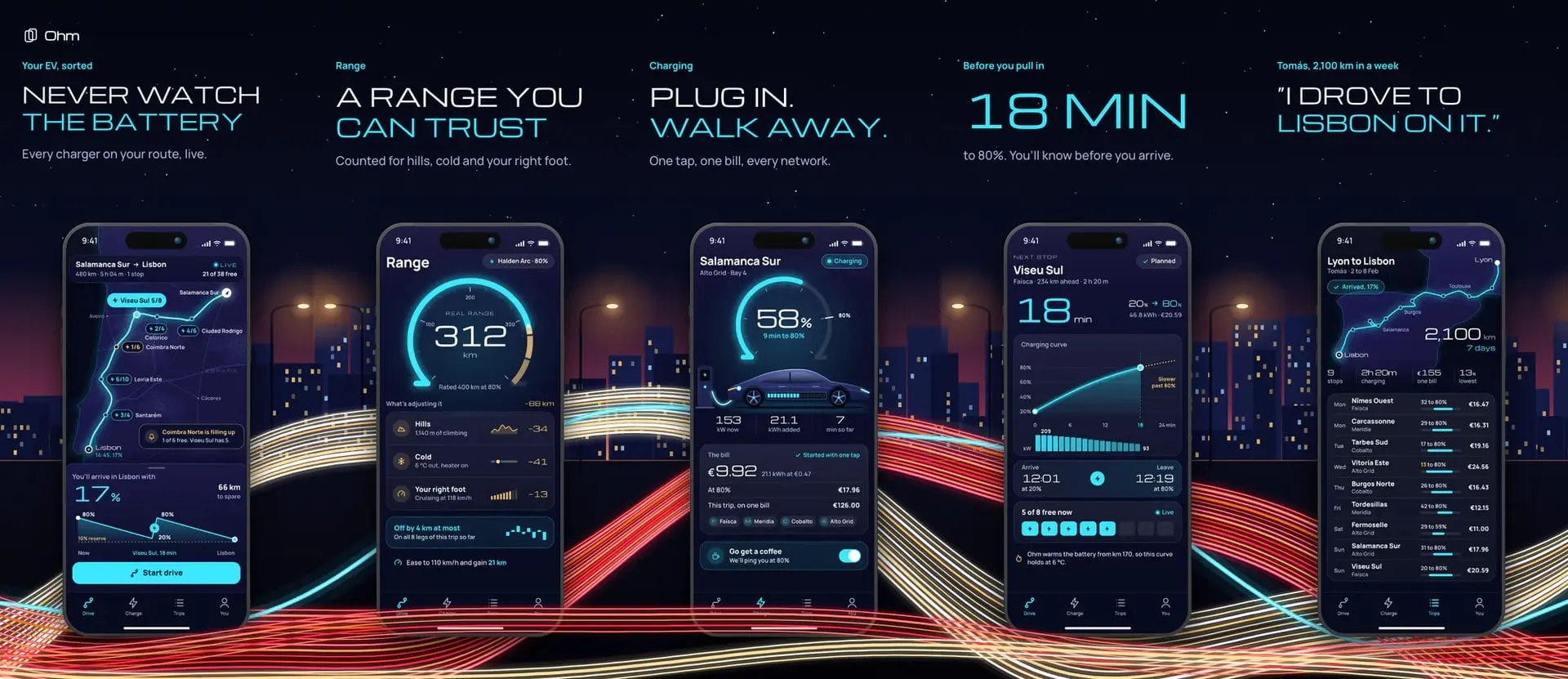
All your screenshots sit on one wide panorama canvas, so a gradient or a phone can run across the seam between two slides. That works on every plan, including Free, where AppScreens counts panoramic backgrounds as a Pro feature. Export gives you upload-ready PNGs per slide at store sizes for the App Store or Google Play, or the whole panorama. Each iPhone panel is 1206 × 2622, the size App Store Connect's iPhone box takes, and each Android phone panel is 1080 × 1920. Work stays in your browser unless you turn on Pro's cloud save.
Pricing. Free needs no account and no card, and includes 3 projects saved in the browser, 1 saved preset, iPhone and Android phone frames, and solid and gradient backgrounds. The first 3 slides of a panorama export clean. Slides after the third carry a watermark on Free, as does every slide of a Pro template or tablet size, and Pro removes it.
Pro is $9 once, with no subscription. It adds unlimited projects and presets, up to 10 slides on App Store sizes and 8 on Google Play, iPad and Android tablet sizes and frames, pattern backgrounds, opt-in cloud save with version history, share links, .appscreen.json project files, Google sign-in so Pro follows you between browsers, and agent access over MCP. Claude Code, Cursor, Codex, VS Code or ChatGPT can build the panorama in your open tab.
Who we built it for. iOS and Android developers who want a connected panorama, pay once, and like the idea of an AI agent doing the first draft. Open the editor and start on Free.
AppLaunchpad
A browser editor for App Store and Google Play screenshots, built around templates. The site says it has 1000+ templates, AI scaling to every iOS and Android size, and localization with an AI translator.
Pricing. Free is $0 and includes 10 templates, 100 layouts, 70 fonts, and Pro features with limited exports. Pro is $15 a month billed monthly, or $10 a month billed annually. Pro adds unlimited exports, the full template library, localization and newer device frames. Their FAQ says Pro allows up to 100 projects.
AppScreens
A screenshot generator at appscreens.com, run by Salty Bytes Pty Ltd. It covers iOS and Android sizes, translates into 80+ languages on its paid plans, and uploads straight to App Store Connect and Google Play Console.
Pricing. Free is $0 with 1 saved project, up to 5 screens per project, essential sizes, and Pro features previewed with watermarks. Pro is $25 a month, or $99 a year. Scale is $50 a month, or $180 a year. Pro allows 50 saved projects, 10 apps and 10 screens per project. Scale adds unlimited apps and projects, 25 screens per project and an extended licence for client work. Their FAQ offers no one-time plan. For a single release, they suggest a monthly plan with the renewal cancelled.
Screenshots.pro
A browser editor for panoramic iOS and Android screenshots. The homepage says no account is needed to start. Paid plans add localization, custom fonts, 3D device angles and an API.
Pricing. Basic is $0 forever and includes all devices, all templates, all editor features, auto-save and export for all sizes. Standard is $19 a month. Extended is $49 a month and adds API access and a licence for client work. Annual billing saves 35%.
Things to know. The Basic licence requires an attribution link wherever you use the screenshots, App Store and Google Play included. Their FAQ answers "Is it free?" with "For now, yes."
Previewed
A browser mockup tool for App Store and Google Play images, 3D renders and promo videos. It also covers MacBook, iMac and social media mockups.
Pricing. Lite is $0 with unlimited 2D exports at 720p and a CC attribution licence. Plus is $9.99 as a one-time fee for 10 exports at 1080p and up, 3D and video exports, and a commercial licence. Pro is $19 a month billed annually at $228 a year, with unlimited exports and 60fps video.
AppMockUp Studio
A free App Store and Google Play screenshot designer at app-mockup.com. No account is required. It runs in the browser and, per its FAQ, never sends your projects or captures to its servers. It supports panoramic backgrounds and can continue one device across two screenshots.
Pricing. Free. We couldn't find a paid plan on the site.
Things to know. There is no autosave. You save a .mockup file to your computer and load it back later. Close the tab without saving and the work is gone.
Rotato
A Mac app for 3D device mockups and animations, with a web version in public beta. Its feature list includes an App Store images export, and the homepage mentions App Store Previews as a use.
Pricing. One-time payments. Their pricing page lists Basic at $79 (phones only, 6 months of updates), Standard at $89 and Premium at $199 in USD. The page shows prices in your local currency, so yours may differ. Rotato for the web is free while in beta.
Side by side
How to choose
Start with how often you ship. If you update your screenshots a few times a year, a subscription keeps billing between releases. A year of AppScreens Pro is $99, a year of AppLaunchpad Pro on annual billing is $120, and AppScreen Pro is $9 once.
Next, read a free plan's terms before you build on it. Screenshots.pro's Basic licence requires an attribution link wherever you use the screenshots. AppMockUp Studio has no autosave. AppScreens Free holds 1 project with up to 5 screens.
Then decide whether your set should read as one story. Apple says up to three screenshots can appear in search results, so those slides have to work together. AppScreen puts every slide on one canvas, so a phone or a gradient can cross the seam.
That's why AppScreen is our pick if you ship an iOS or Android app a few times a year. Three projects and three clean slides are enough to try it on a real app before you decide. Open the editor or see pricing.
If your budget is zero, the free roundup compares what each free plan lets you export, watermark and slide limit included. If you're already on a subscription, see AppScreens alternatives. To see finished sets before you pick a tool, browse AppScreen's 50+ templates.
SourcesEvery number in this post comes from these pages.14 pages · Checked 3 Nov 2026
- screenshots.pro/licenseBasic licence, attribution
- theapplaunchpad.com/pricingAppLaunchpad plans, prices, project limits
- theapplaunchpad.comAppLaunchpad features and templates
- appscreens.com/pricingAppScreens plans, prices, FAQ
- appscreens.comAppScreens features and upload
- screenshots.pro/pricingScreenshots.pro plans and prices
- screenshots.proPanoramic, no account, API
- previewed.appPreviewed plans, prices, features
- app-mockup.comAppMockUp features, free, no account
- app-mockup.com/help/faqNo upload, .mockup files, autosave
- rotato.app/pricingRotato one-time prices, plan limits
- rotato.appRotato features, web beta
- developer.apple.com/app-store/asset-best-practicesScreenshots shown in search results
- help.appscreens.com/getting-started/what-pro-features-am-i-usingPanoramic backgrounds as a Pro feature
Something out of date? Email orp.neercsppa@troppus and we'll re-check it.