Changelogv1.0
v1.0
AppScreen launches
App Store screenshots, designed as one panorama. Free to start; Pro is $9 once.
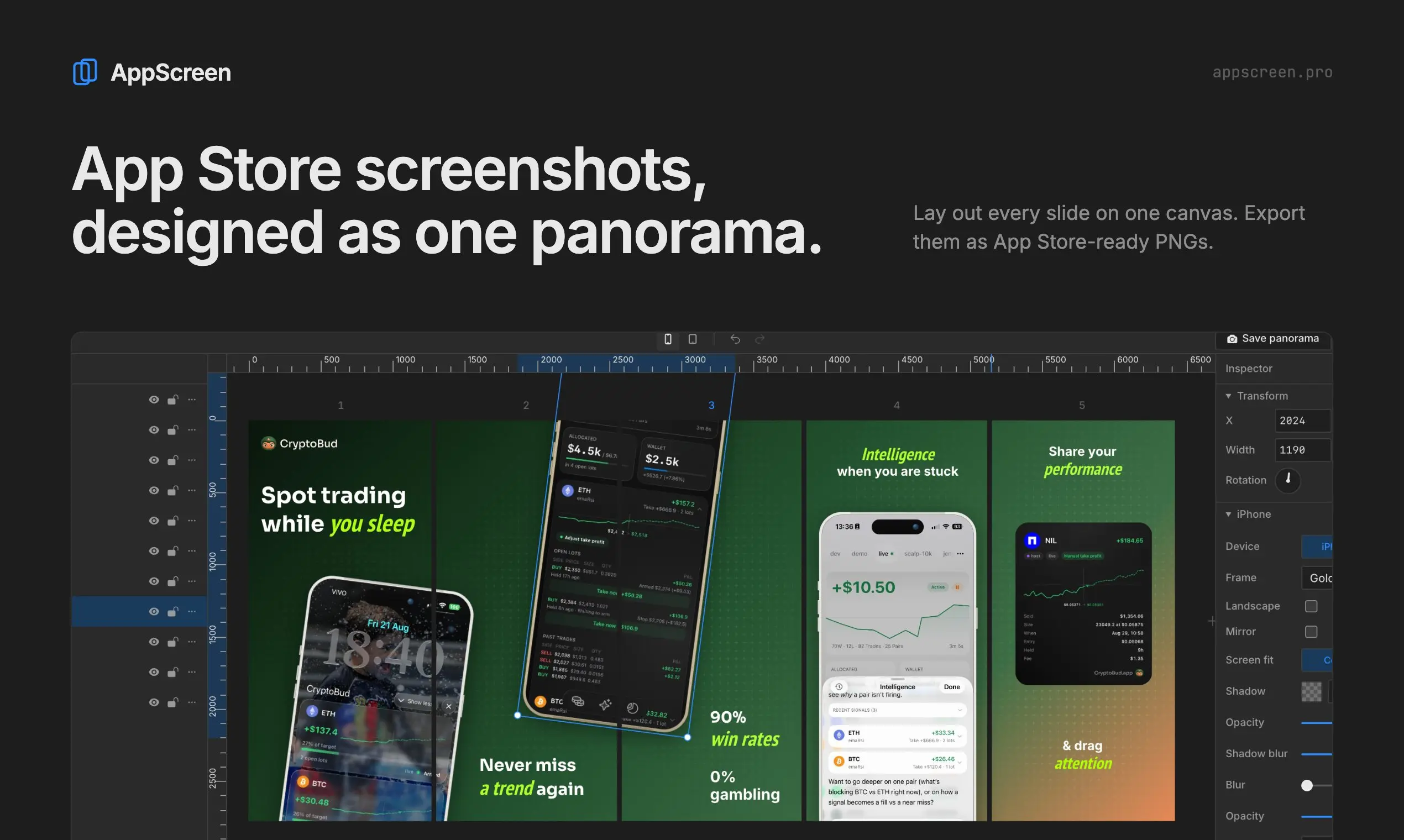
Most App Store screenshots get designed one at a time, and it shows when you swipe. AppScreen puts every slide on one wide canvas, so a phone can sit across two screenshots and the set reads as one scene.
It runs in your browser and saves on your device. Free to start, no account needed. Pro is $9, paid once.
New8
- EditorOne canvas for up to 10 slides; anything can cross the seams.
- EditoriPhone frames in six finishes, plus iPad.
- EditorSolid and gradient backgrounds, and 11 overlay patterns.
- EditorRich text: style any word, with any Google Font.
- EditorPresets, guides, undo and a layer panel with lock, hide and solo.
- ExportOne PNG per slide (1284×2778 iPhone, 2064×2752 iPad), or the panorama.
- Pro$9 once: unlimited projects, iPad and pattern export, project files.Pricing
- AgentMCP server for Claude Code, Cursor, Codex, VS Code and ChatGPT.Agent setup
Store screenshots, designed as one panoramaFree: 3 projects, 3 clean slides, iPhone and Android phones. Pro: $9 once, no subscription.